 rulogman
A real terminal
alacritty_terminal emulation, so vim, tmux and htop behave as usual — over SSH, or in a local shell, PowerShell or WSL.
A fast SSH terminal with tabs and split panes, an SFTP files panel, followed log files and dashboards that watch many servers at once.
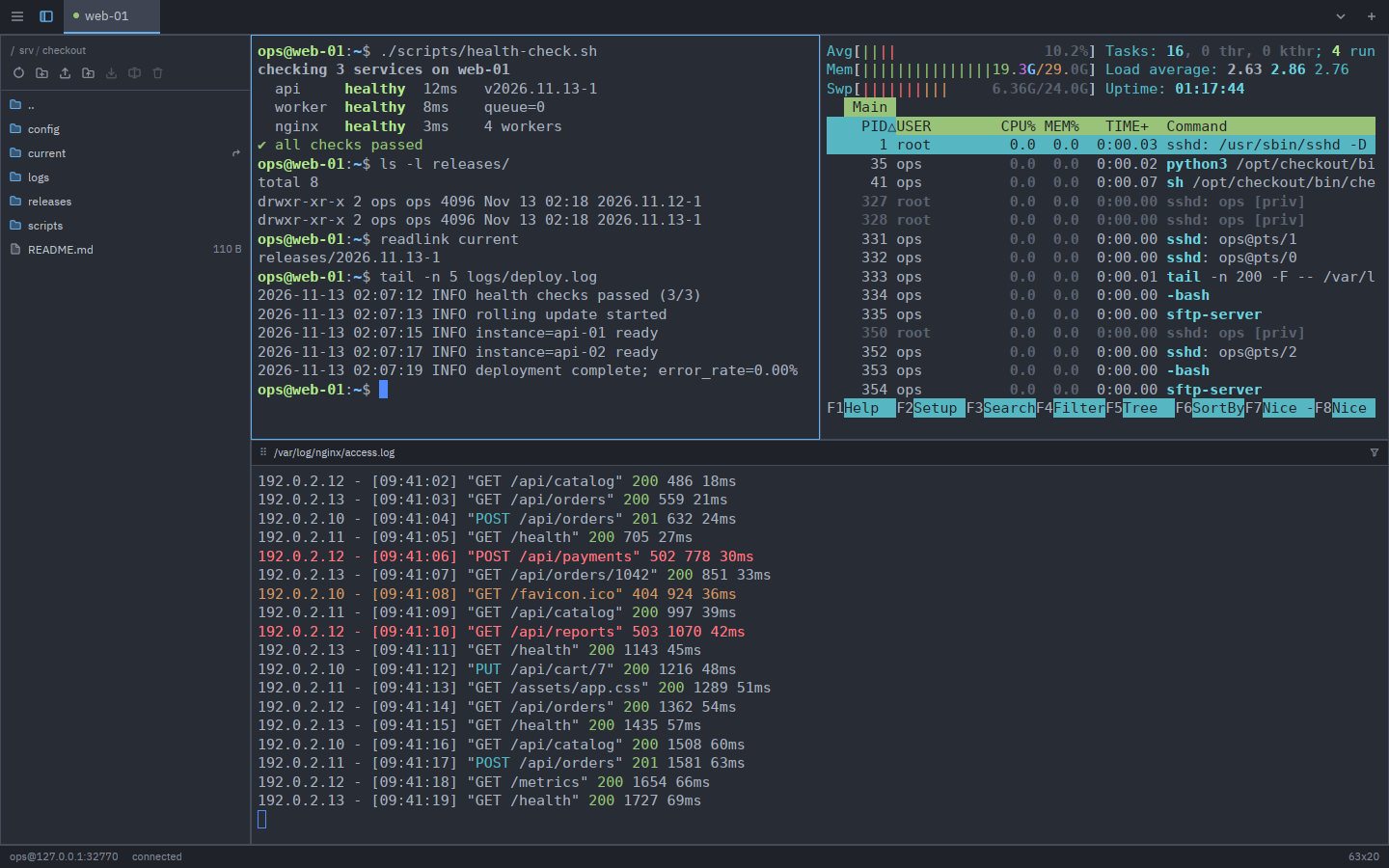
Built for people who live in SSH: shells, logs and files from many hosts, without juggling windows.
alacritty_terminal emulation, so vim, tmux and htop behave as usual — over SSH, or in a local shell, PowerShell or WSL.
One session per tab, split as you like. A new pane opens in the directory the shell is already in.
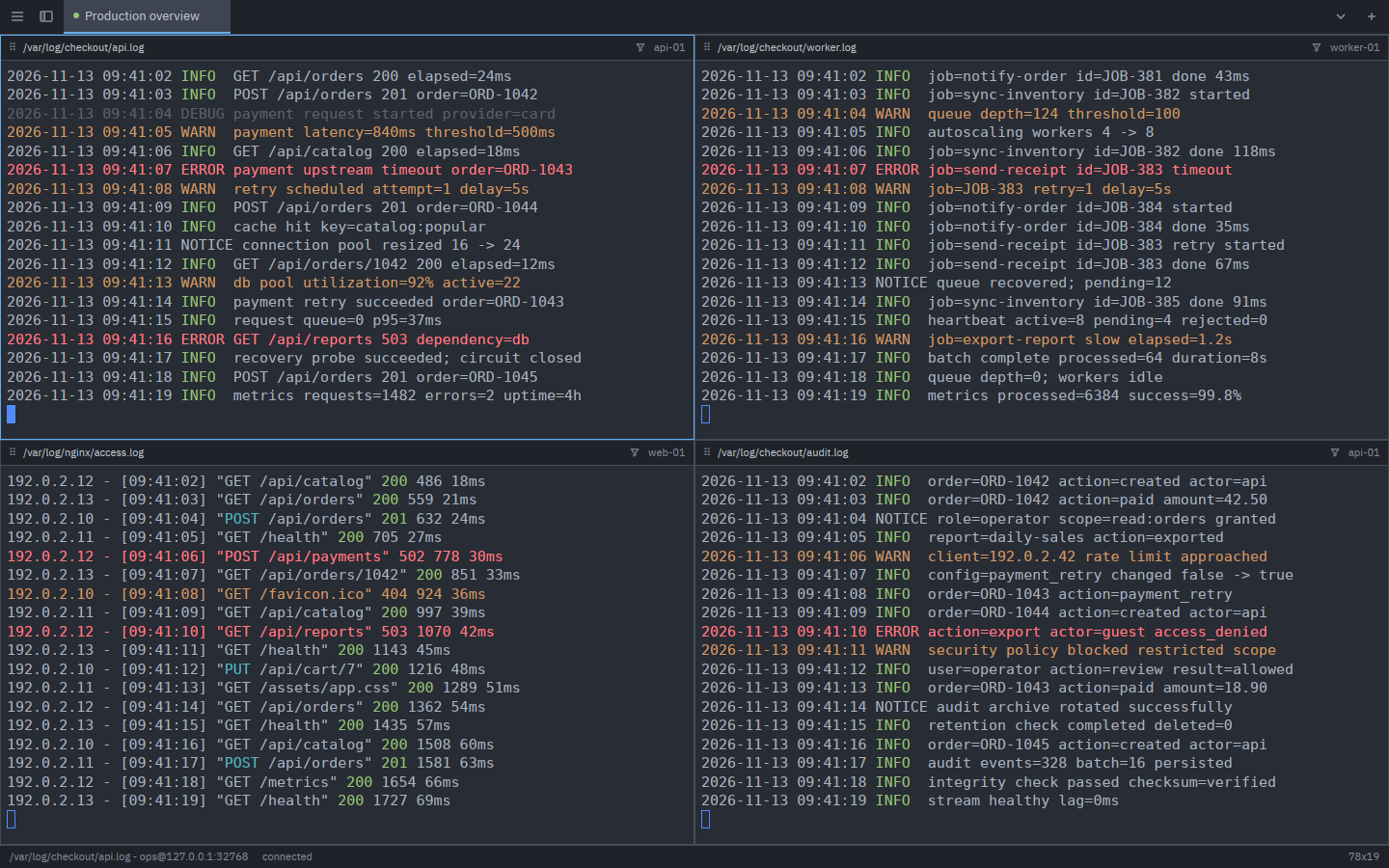
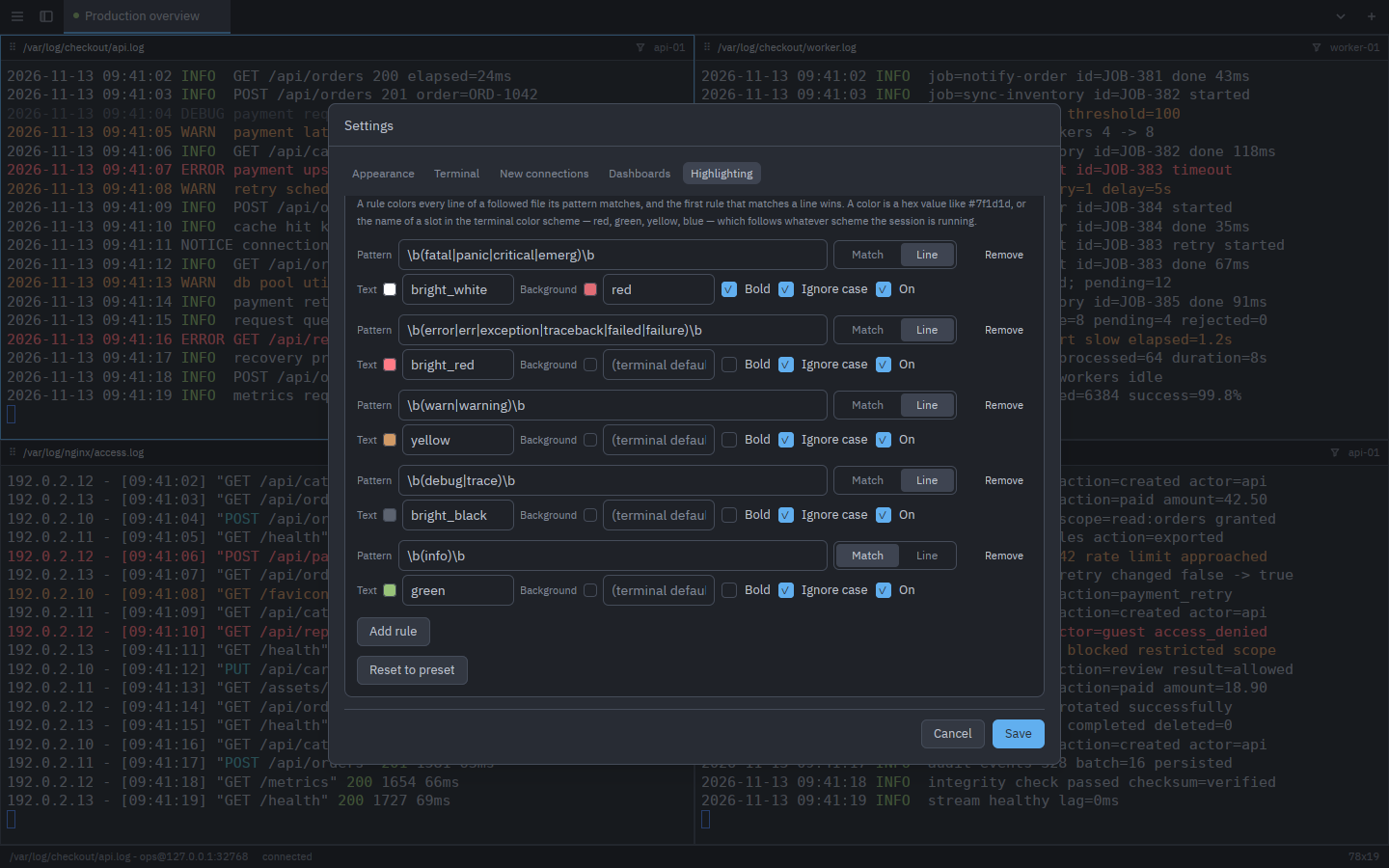
tail -F panes that keep flowing through log rotation, with regex highlighting and line filters.
Followed files from many servers in one grid, saved and opened again with a single click.
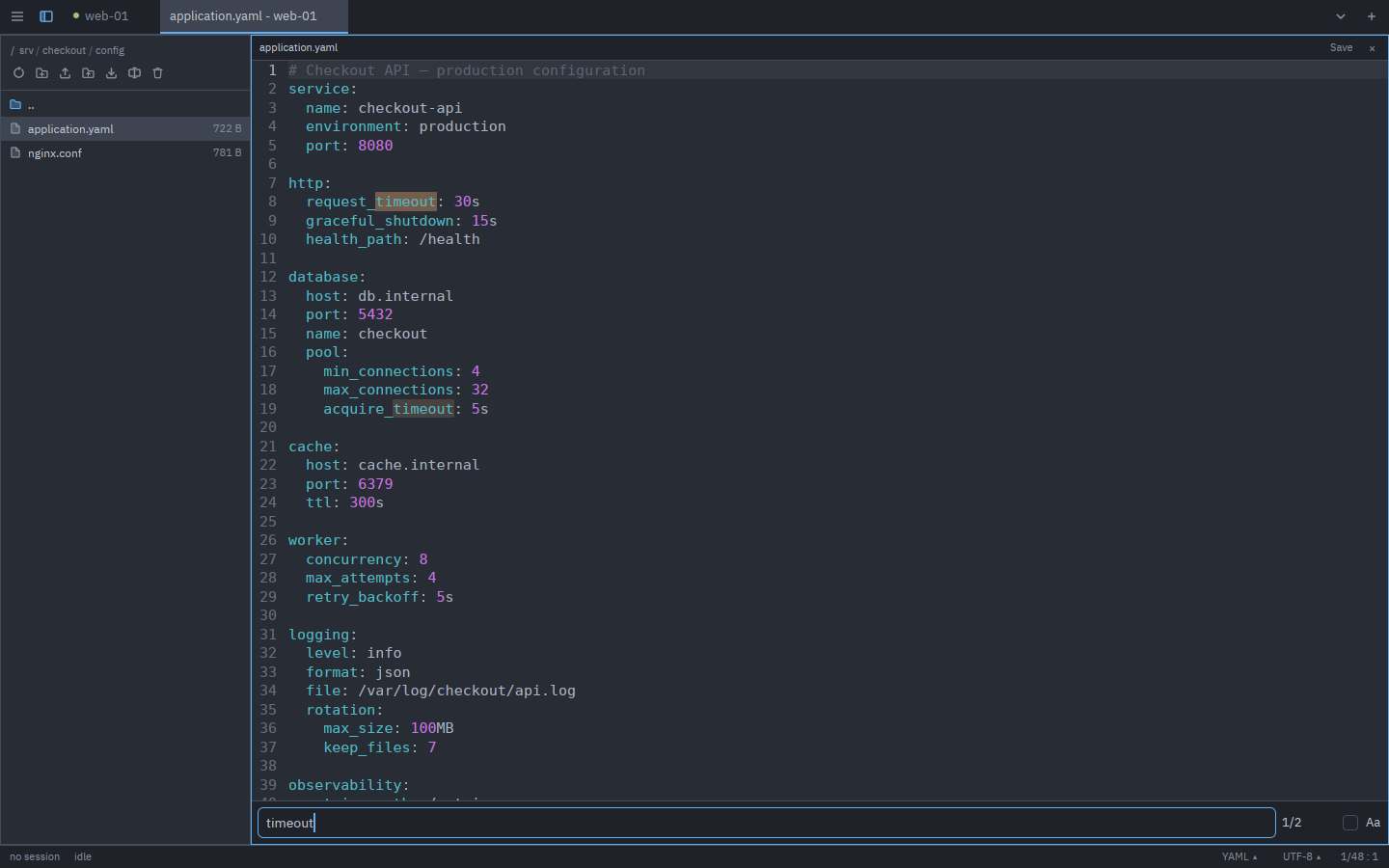
An SFTP panel that follows the shell's cd, and remote files edited in a tab with syntax highlighting.
Bastion chains dialed like ssh -J, saved port forwards, and passwords kept only in the OS keychain.
Prebuilt for Windows, macOS and Linux, on x86-64 and ARM64. From then on rulogman updates itself, after verifying each download.
> winget install Xcomart.Rulogman
Windows 10 and 11, x64 and ARM64. The installer and a portable zip are also on the release page.
$ brew install --cask xcomart/tap/rulogman
Apple Silicon and Intel. The cask clears the quarantine flag, so the first launch just opens.
# the x86_64 or aarch64 linux-gnu archive from the latest release
$ tar xzf rulogman-v*-x86_64-unknown-linux-gnu.tar.gz
$ cd rulogman-v*/ && ./install.sh
Installs under ~/.local with no root. Needs glibc 2.35 or newer — Ubuntu 22.04, Debian 12 and later. Or run the AppImage from the same release, with nothing to install.